
Play classic PSP games right on your phone
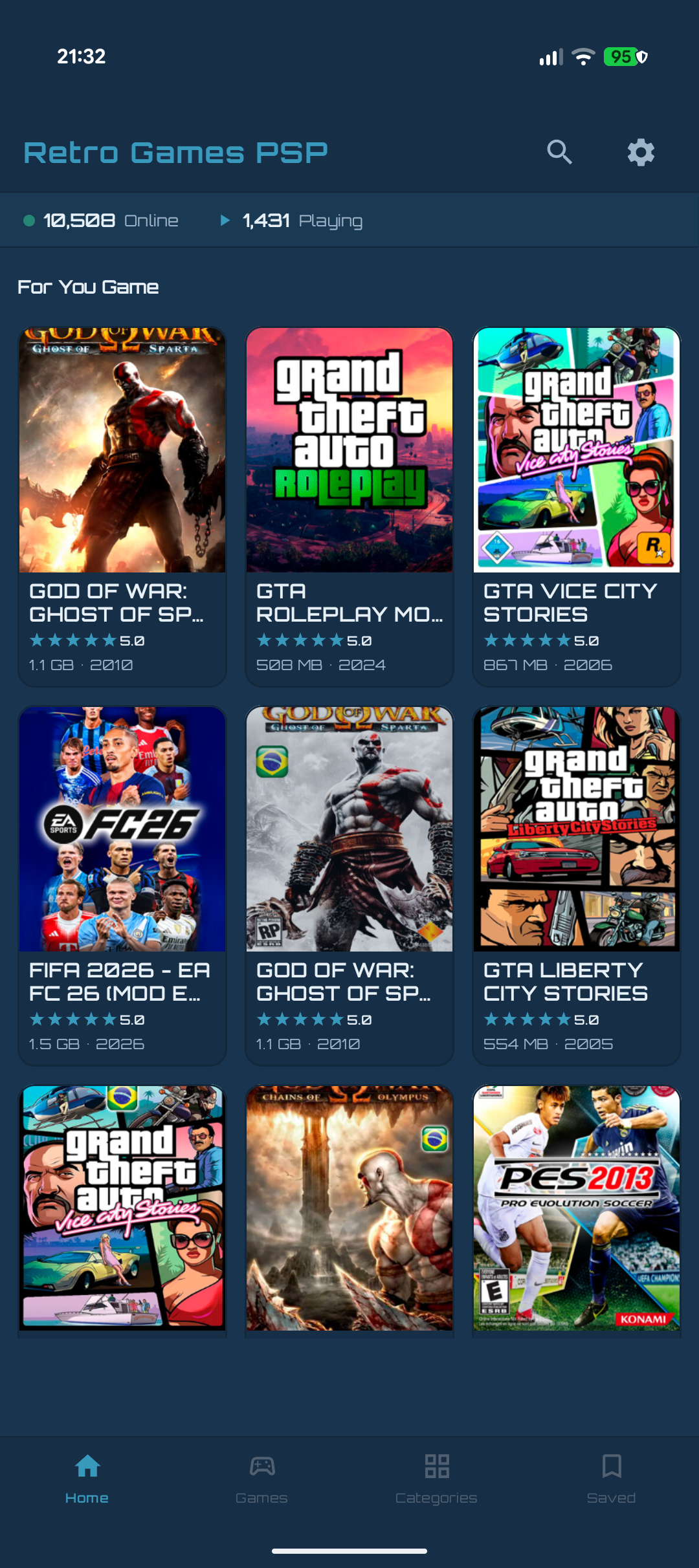
Browse a huge library of PlayStation Portable games, download with a real progress bar, and play instantly — all inside one app. No hunting for a separate emulator, no guessing at settings.
- of PSP titles
- 1000s
- separate emulator apps
- 0
- in-app, start to finish
- 100%
of PSP titles
separate emulator apps
in-app, start to finish
Save state captured
Slot 2 · just now
Everything a PSP library needs — nothing it doesn't
Every feature below is live in the app, not a roadmap promise.
Built-In PSP Emulator
A real PSP core runs directly inside the app. Tap a game and play — no exporting ISOs to a separate emulator, no manual BIOS setup.
A Real Download Manager
Live progress with percent and MB downloaded, plus pause, resume, and cancel on your terms. No dead links, no spinner that never finishes.
Automatic Decrypt & Extract
Encrypted archives are decrypted and unpacked automatically after download — if a step fails, smart retry picks up from exactly where it stopped, not from scratch.
Save States
Capture your progress at any moment and pick up exactly where you left off.
Shader Picker
Choose a visual filter that fits your screen — from crisp native rendering to smoothed, console-accurate looks.
Browse by Category
A dedicated categories screen with real per-genre counts — Action, RPG, Racing, Fighting, Sports, and more, one tap away.
Search & Sort
Find any title fast by name, or sort the whole catalog by popularity, title, or file size.
Favorites, Saved In One Place
Star the games you care about for one-tap access later, and see everything you've already downloaded without digging through folders.
From browsing to playing in three taps
Browse the catalog
Scroll the home feed, jump into a category, or search by name to find a classic PSP title.
Tap download
Watch a real progress bar as the game downloads, decrypts, and extracts automatically in the background.
Play instantly
The built-in emulator launches the moment it's ready — save states and shaders are right there in the pause menu.
Isolated emulator process
Gameplay runs in its own process — a game crash never takes your catalog or downloads down with it.
Built for handheld play
A clean interface designed for long sessions, day or night.
Your library, your device
Downloads and favorites stay on your device by default — cloud sync is opt-in with Premium.
Good to know
Is RetroGames PSP free to use?
Yes. The full catalog, built-in emulator, download manager, save states, and favorites are all free, supported by a small number of ads. Premium plans simply remove ads and add extra conveniences like faster downloads and cloud save sync.
Do I need to be online to play?
You need a connection to browse the catalog and download a game the first time. Once a game is downloaded, it's stored on your device and playable fully offline.
What happens if a download fails partway through?
The download manager tracks exactly which step failed — downloading, decrypting, or extracting — and smart retry resumes from that step instead of starting the whole process over.
Do I need a separate PSP emulator app?
No. The emulator core runs directly inside RetroGames PSP, in its own isolated process, so a game issue never affects your catalog, downloads, or settings.
How do I cancel a subscription?
All subscriptions are managed through Google Play's billing system — open Google Play > Subscriptions on your device to upgrade, downgrade, or cancel at any time.
Is this app affiliated with Sony?
No. RetroGames PSP is an independent app, not affiliated with, endorsed by, or sponsored by Sony Interactive Entertainment. All trademarks and cover art belong to their respective owners and are used for identification purposes only.
Your PSP library is one tap away
Browse, download, and play classic PlayStation Portable games — free to start, with save states and shaders built right in.